
In our previous article, we explored how Odoo 19 delivers its fastest, smoothest experience yet, with smarter caching and a redesigned UX across all applications.
Now, let’s dive into the improvements across Inventory, Purchase and Manufacturing, streamlining day-to-day operations and enhancing efficiency
Inventory Management — Unified UoM & Simplified Stock Control
Stock Move Efficiency: Effective Date Correction
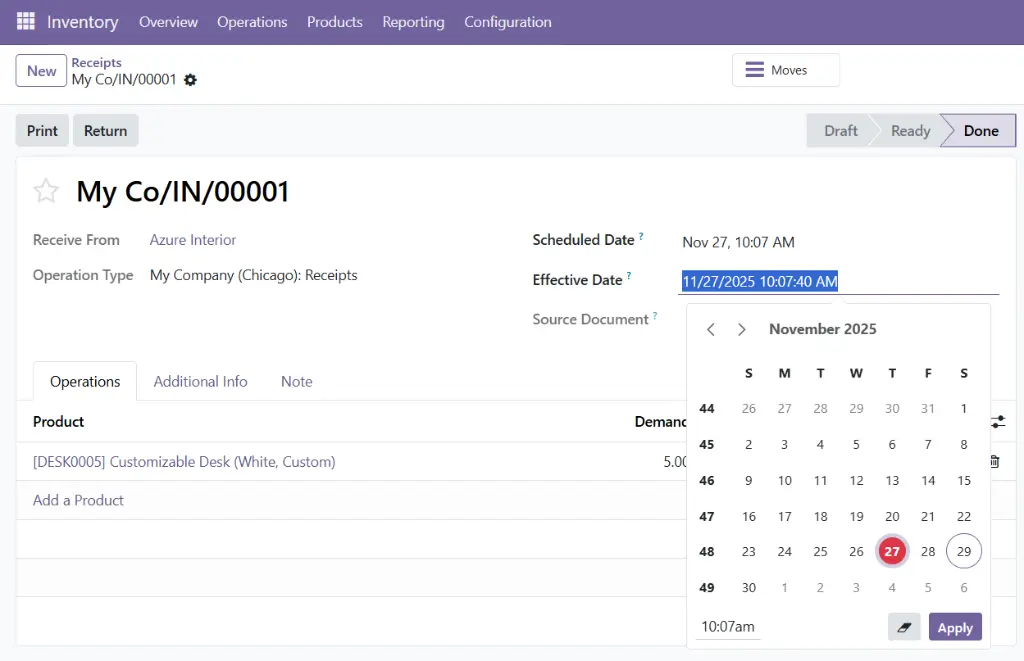
Odoo 19 simplifies correcting the date of a validated stock move. Previously, this often required complex menus navigating and developer mode. Now, it provides immediate access to the corrective tools you need, eliminating the need for non-standard edits.
- By unlocking a 'Done' operation.
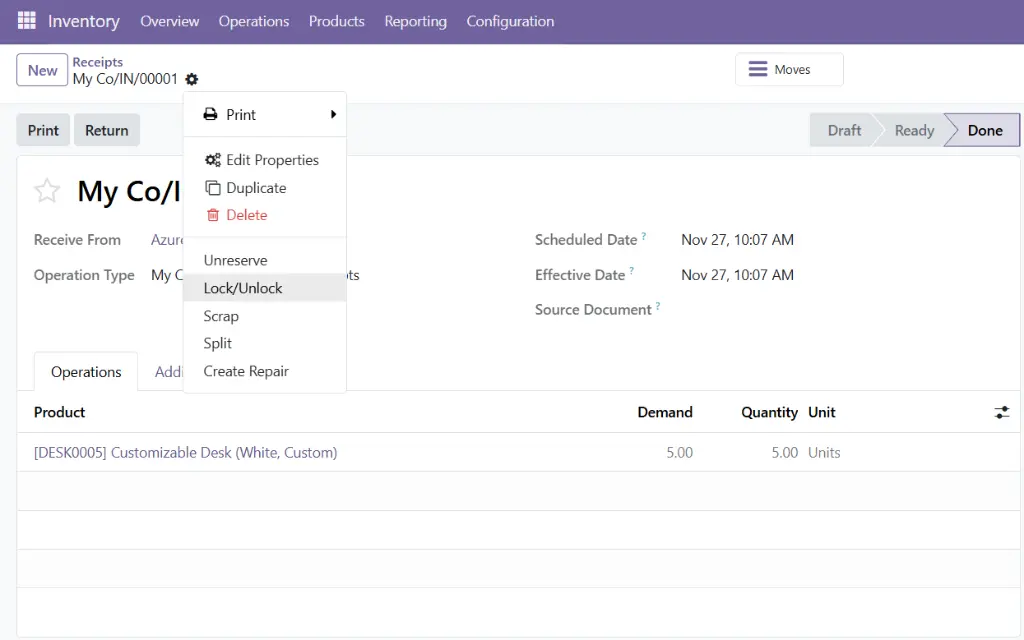
- Now you can easily update the Effective Date for correct auditing and reporting purposes.
Stock Control: Editable "Quantity On Hand"
No need to switch screens to update a product's Quantity on Hand. In Odoo 19, you can change how you track your inventory at any time and update the "Quantity On Hand" directly from the product form view.
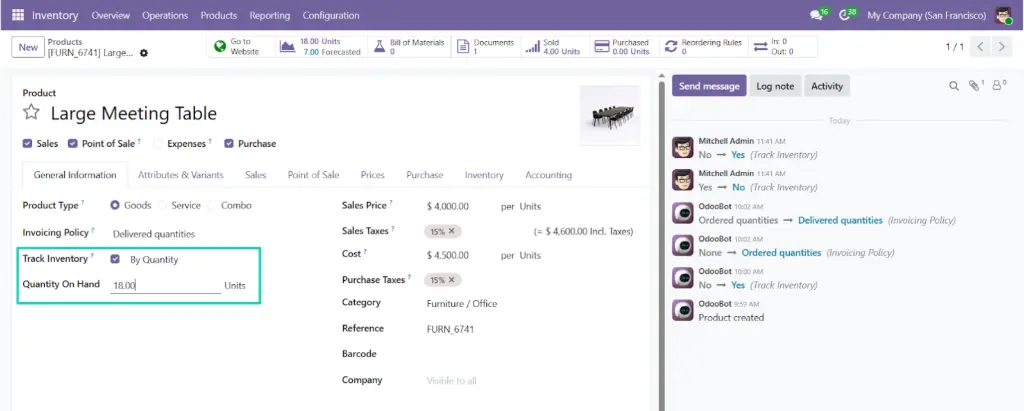
Limitations: The field "Quantity On Hand" will be read-only when:
- Your product is tracked with Production Lot / Serial Number.
- Your database is configured with multiple stock locations.
Unified UoM & Packaging: The New Reference Unit
Units of Measure and Packaging are now merged for a more convenient product management experience.
- The new Reference Unit replaces UoM Categories — one of the significant changes in Odoo 19.
- Users can now create packages and sub-packages based on the desired Reference Unit.
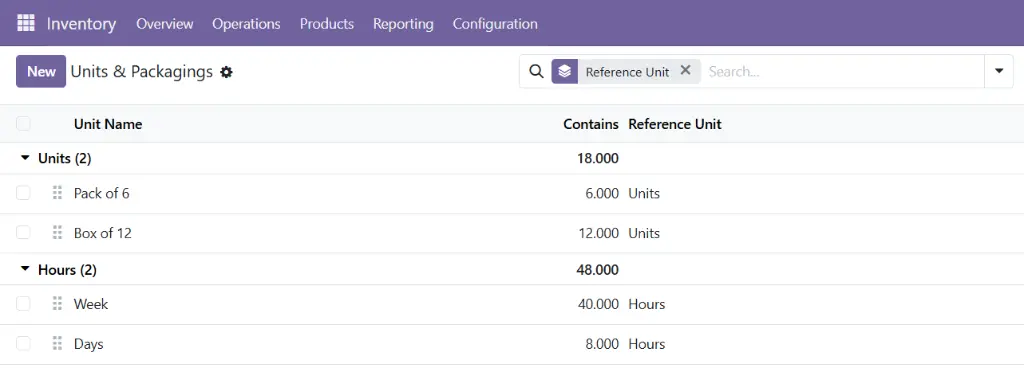
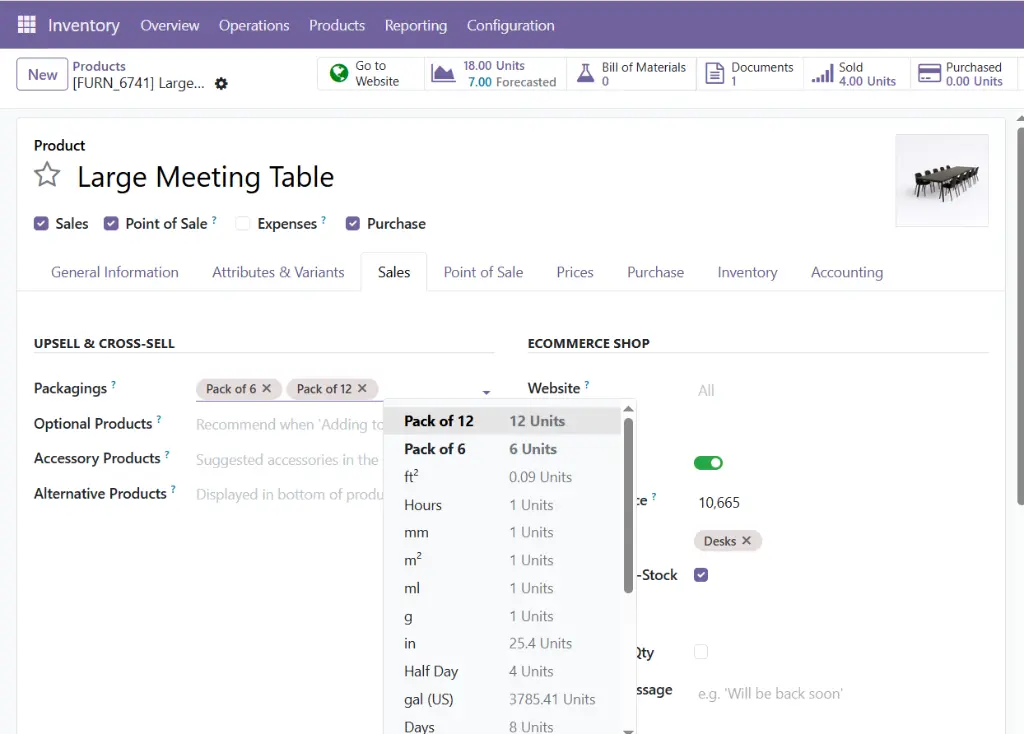
Configure Packagings on the Product form
- With that, Packaging management becomes effortless. You can configure Packagings on a product from the form view with the field Packagings in the tab “Sales”.
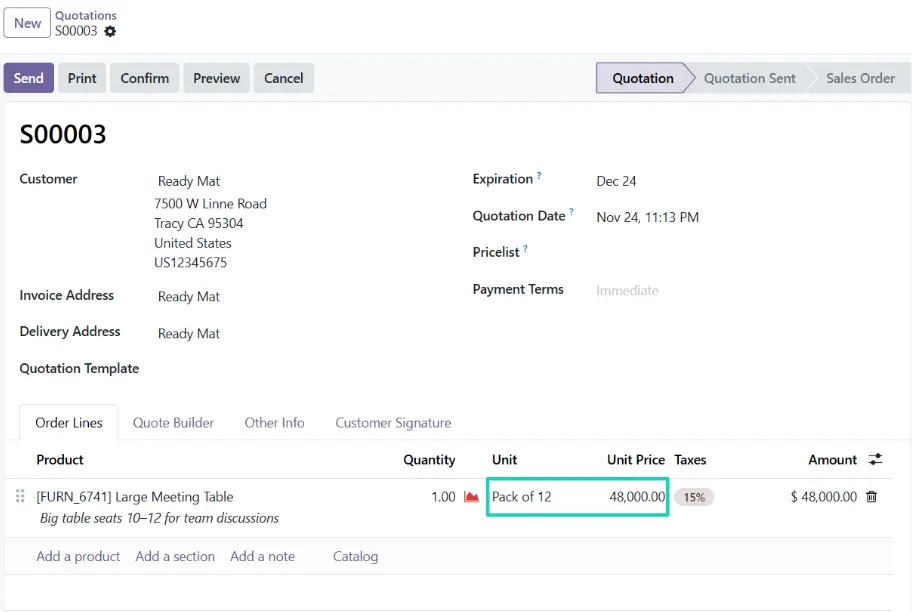
Take into account the Packaging in the Sale Order Line
- Price is computed on the Sales Order based on the selected Unit.
Limitation: How does this work with the BOM? So we can also manage the stock of the Carton box of 6 so you don't run out of packaging.
- There is no improvement in that matter, you might need to use variants, multiple records of BOM, use multi-level BOMs (highest level adding only the packaging), use the quantity multiples for the Order Points related to Manufacturing Route.
Purchase — Smart Replenishment and Effective Procurement
With a smarter dashboard, instant PO creation and smarter suggestions, Odoo 19 transforms purchasing from a reactive task into a proactive, insight-driven process
Smarter Replenishment Rules & Forecasted Reporting
Procurement in Odoo 19 has been rethought to minimize repetitive work.
Replenishment with flexible rules
-
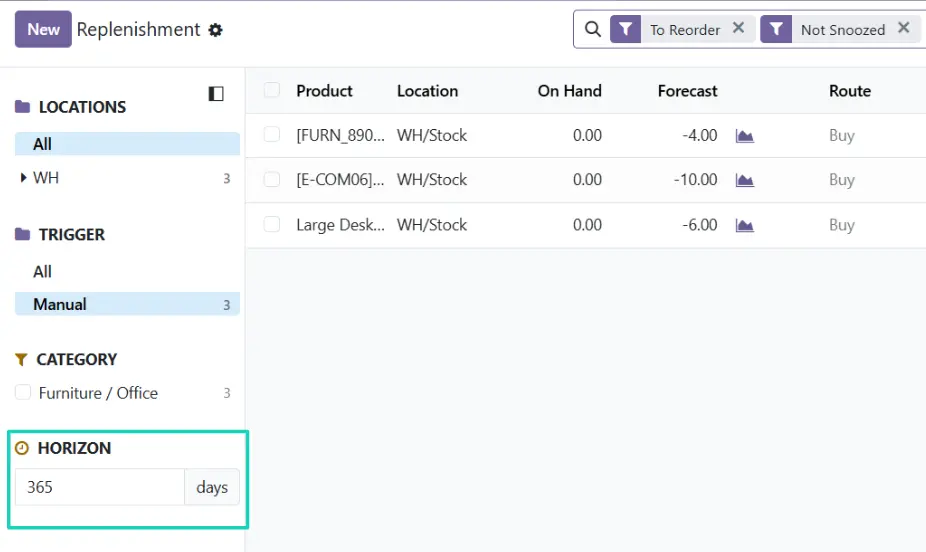
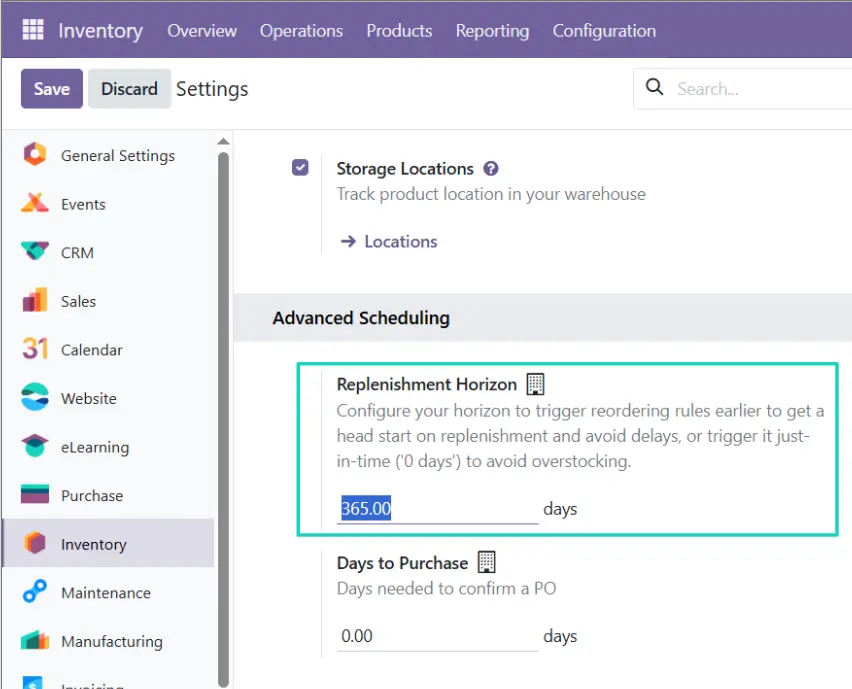
The new default Replenishment Horizon setting allows you to globally configure how far in advance Odoo triggers reordering rules. This key change helps minimize repetitive work and prevents unnecessary overstocking.
- Users can now find this global default in Settings → Inventory → Advanced Scheduling.
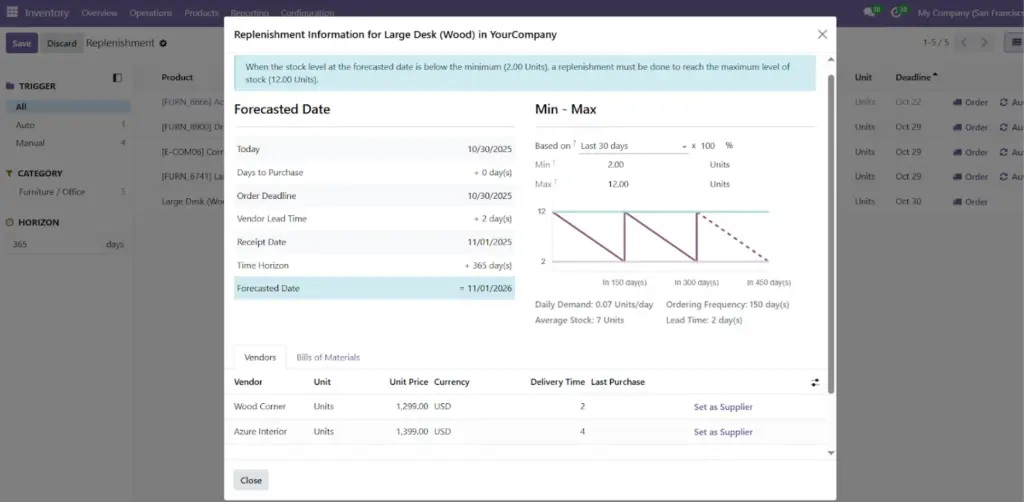
Replenishment Information
- The Replenishment Information wizard gives you finer control over reordering rules.
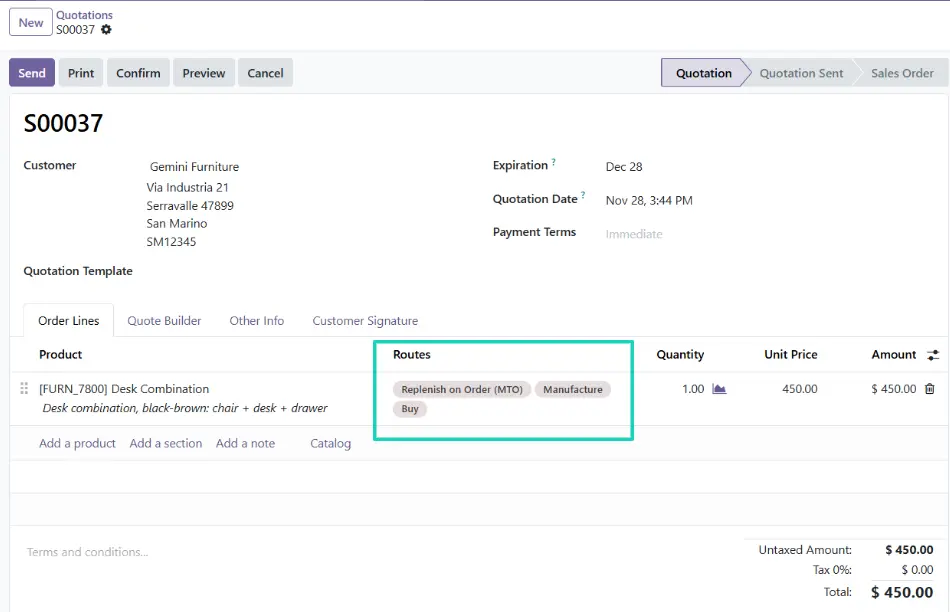
Multiple routes per sales order line.
- Support for multiple routes per sales order line which could enable the support of some complex cases.
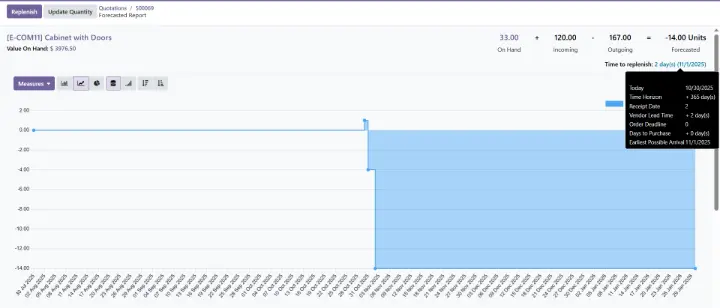
The new Forecasted Report
- The Forecasted Report has been upgraded with a clearer layout, helping users easily understand lead-time calculations.
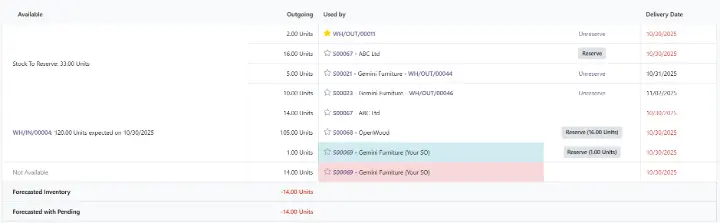
- While the function was available in the previous version, stock reservation in Odoo 19 is now more intuitive: the Reserve/Unreserve buttons are integrated directly next to the affected document (e.g., Sales Order or Receipt) in the Forecasted Report, significantly streamlining stock prioritization.
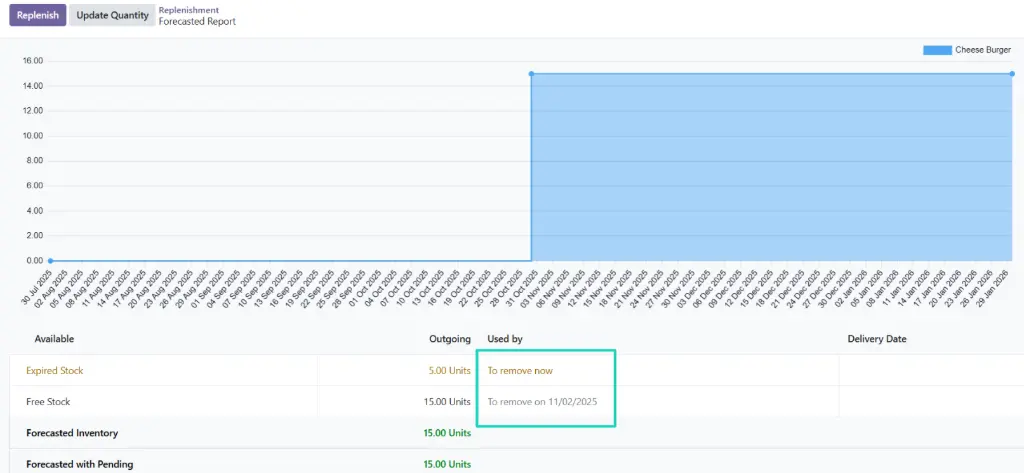
- The report now highlights products that need to be removed due to expiry policy — a subtle but valuable addition for warehouse accuracy.
Streamlined Purchase Workflow: Dashboard, Drag-and-Drop, & Suggestion
Odoo 19 introduces several usability features that help procurement teams stay organized and efficient.
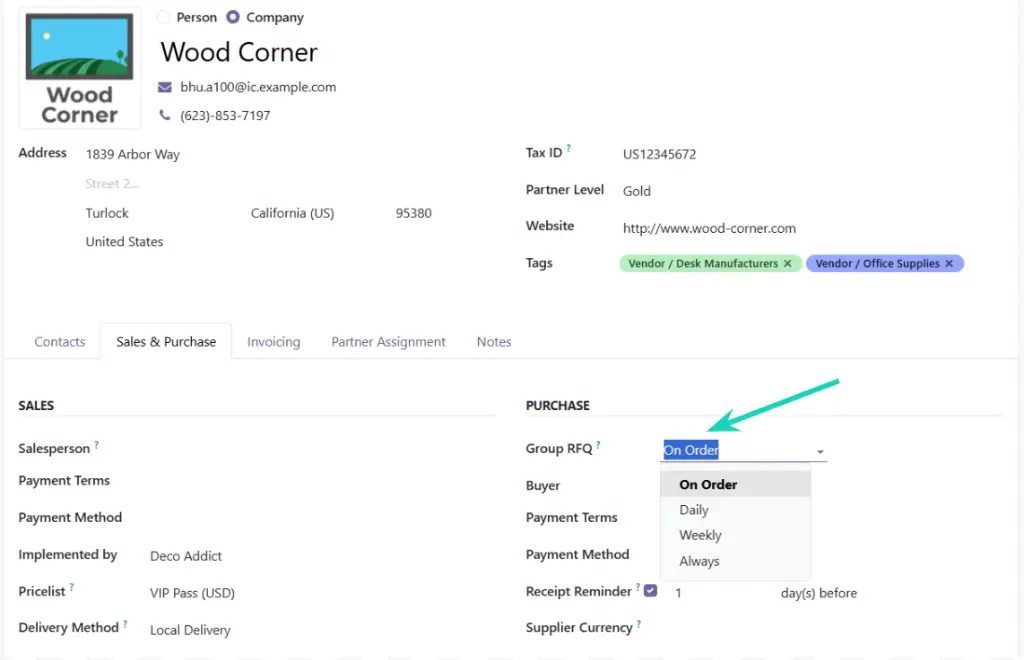
- You can now configure how to group Purchase Orders by vendor through the new Group RFQ field on the vendor form view.
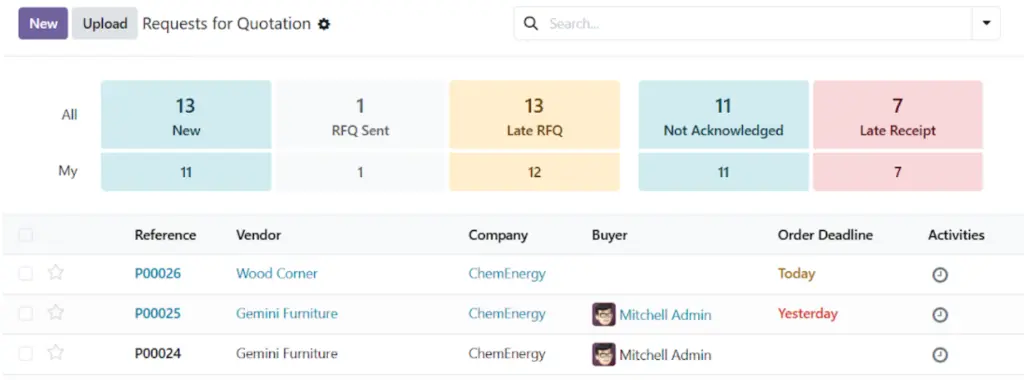
- The new Purchase Dashboard provides key insights at a glance — including RFQs sent, Late RFQs, Late Receipts, and On-time Deliveries — helping users prioritize daily work efficiently.
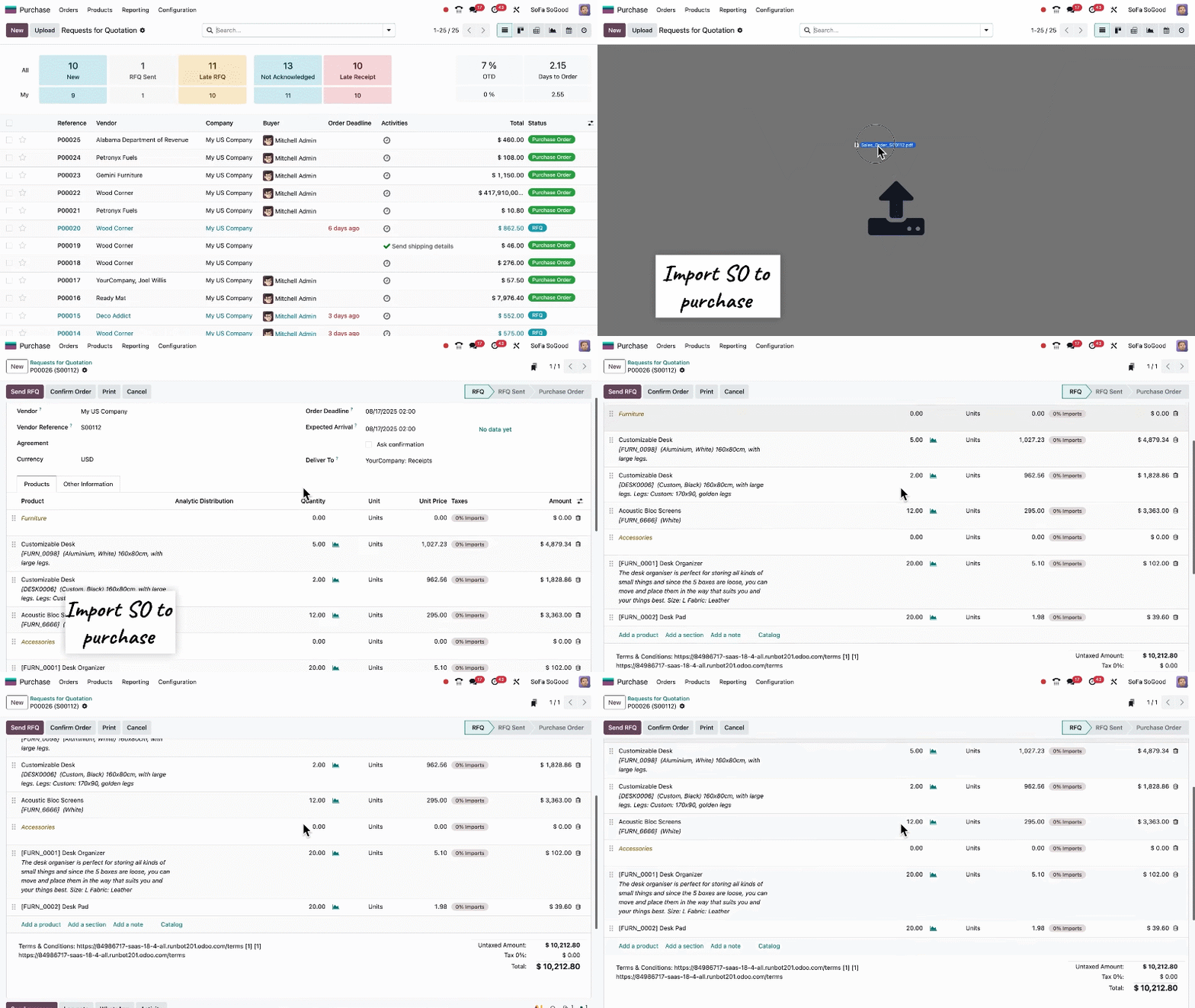
- You can also drag and drop Sales Orders to instantly create corresponding Purchase Orders — a huge time-saver for make-to-order operations (available in both the Community and Enterprise editions).
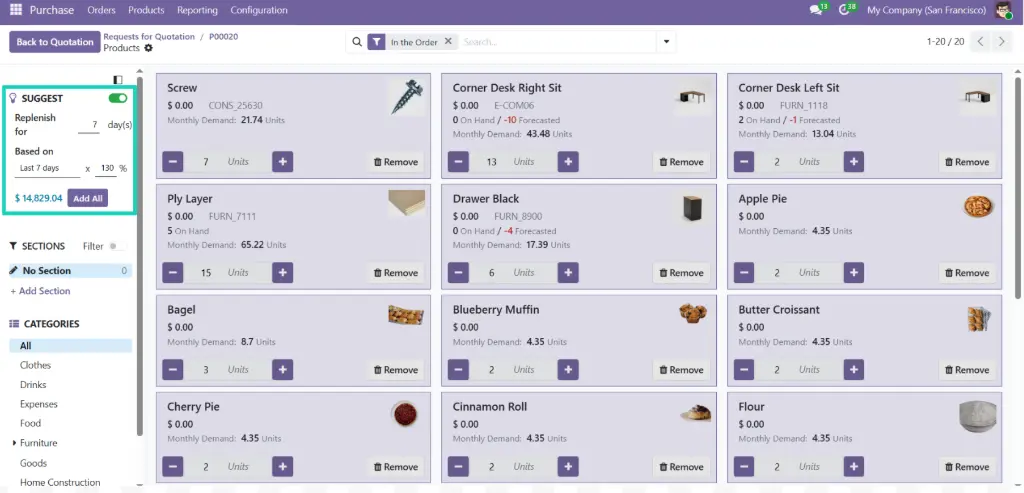
- Finally, from a Purchase Order, you can open the "Purchase Catalog" (on the last line of the order): the Purchase Catalog adds a new Suggest feature that recommends order quantities based on upcoming demand, historical trends, and upselling predictions.
- The catalog will show you by default all the products which can be supplied by the Vendor of the related PO, and the products in the PO are highlighted so you can easily see what is already in the order and what you could add to optimize your logistic flows.
New Vendor Bill Workflow: "Upload Bill" replacing "Create Bill"
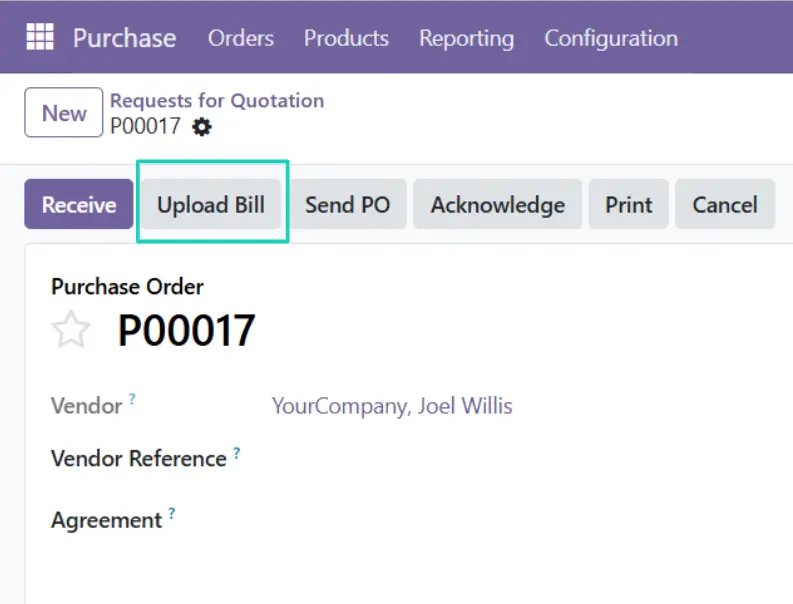
In Odoo 19, the “Create Bill” button on a Purchase Order form view is removed and replaced by a new button “Upload Bill”.
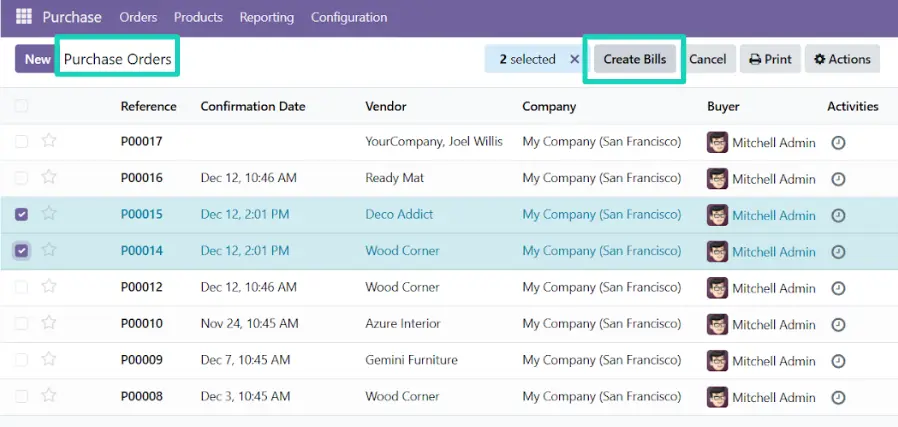
The Create Bills button is only available from the list view of the Purchase Order menu (not anymore from the RFQ list view)
If you want to revert that change, Komit will help you with the module "Komit Purchase to Bill".
Manufacturing: Traceability, BOM Costing, & One-Shot Serial
Manufacturing in Odoo 19 continues to evolve into a smarter, more transparent system.
Traceability with Custom Lot and Serial Numbers Prefixes
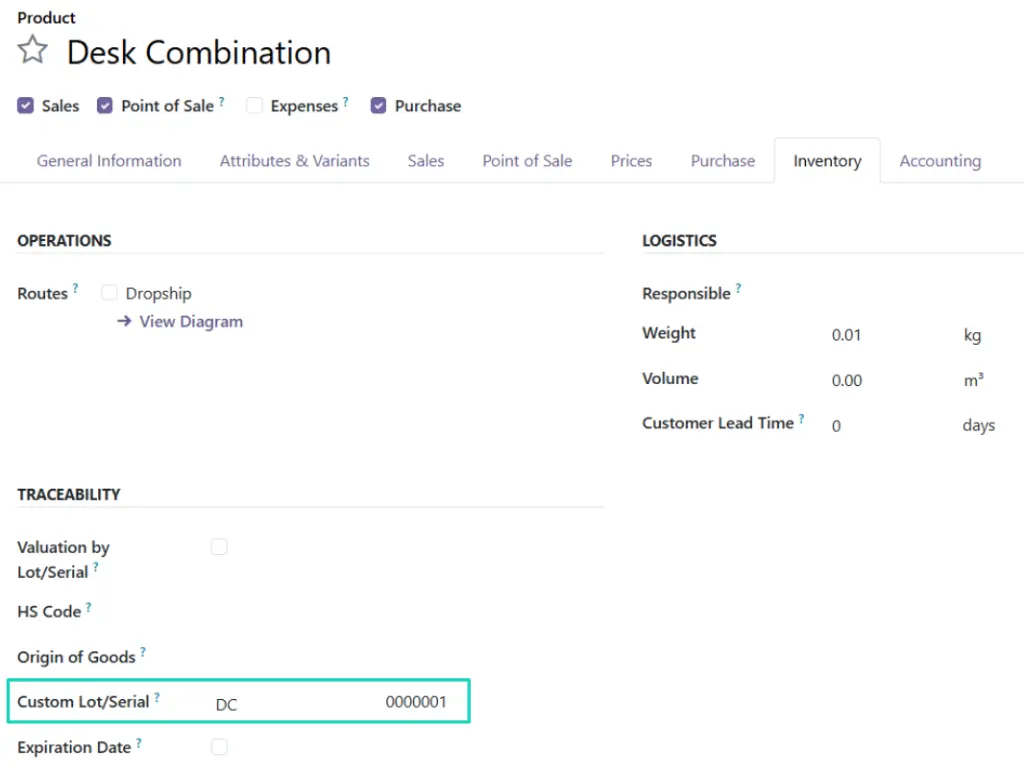
- Customizing the format of the reference/name of serial numbers is now easier than ever.
- Go to: Product → Inventory tab to set your own prefix for serial numbers and improve traceability as your business grows.
Bills of Materials: Batch Size & Time-Based Costing
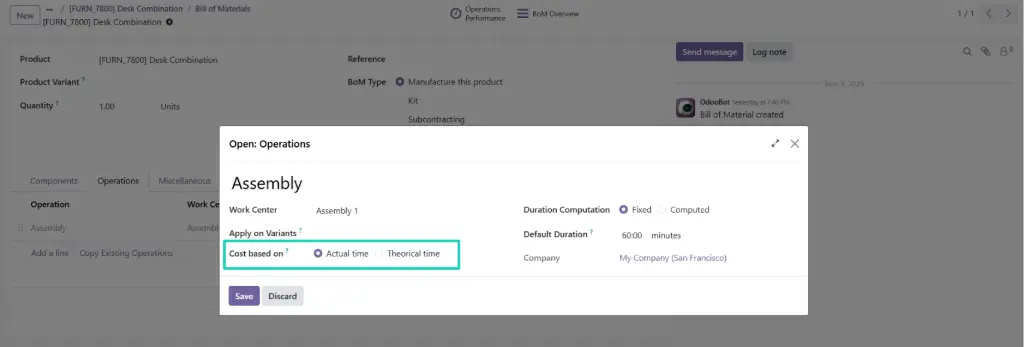
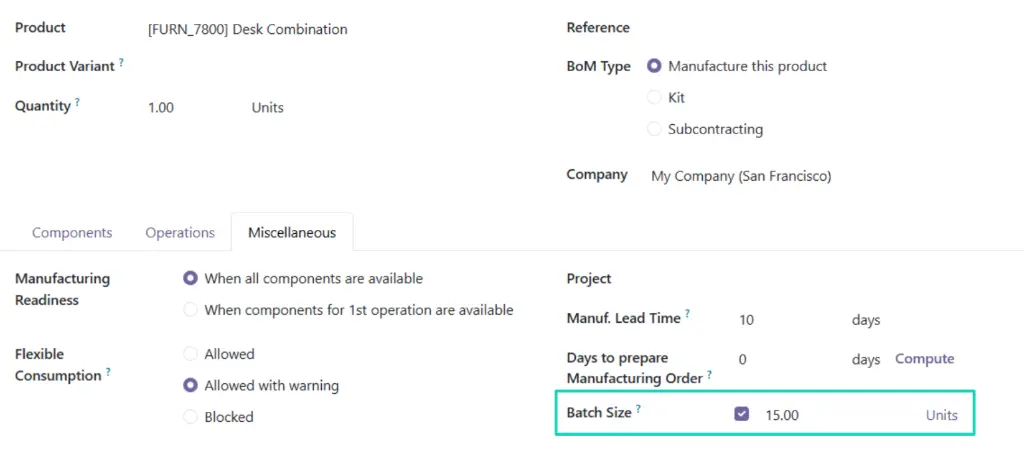
In Odoo 19, you can track every stage of the manufacturing process including:
- Defining product cost based on Actual time or Theoretical Time.
- Setting the maximum batch size for optimized operations.
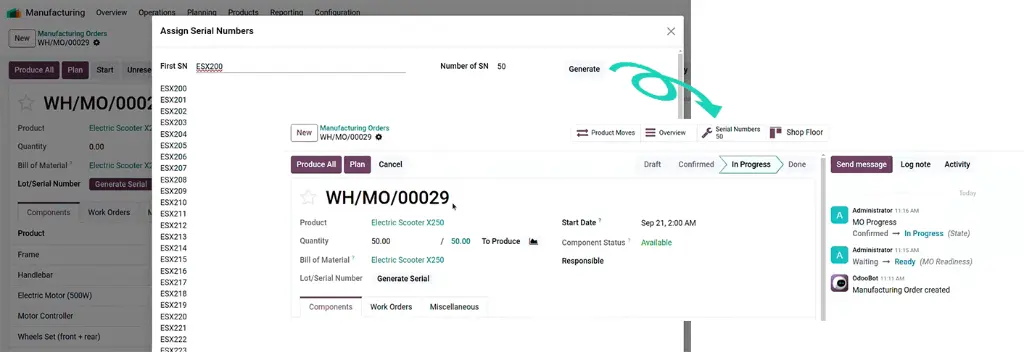
One-Shot Manufacturing for Products using a tracking by Serial Number (No Back Orders)
In Odoo 18, you could have a MO for a Product configured with a tracking by Serial Number (unique Production Lot) with a manufactured Quantity bigger than one. But each produced SKU (Serial Number) would have its own MO linked to a single Serial Number, and the remaining SKUs would be moved to a Back Order MO. As a result, you would have one MO per Serial Number while all the Serial Numbers are produced at the same time and therefore the users had to repeatedly set the Serial Number on the MO, and then mark it as done.
In Odoo 19, you can now produce all SKUs at once and Generate Serial Numbers in a few clicks without the need to create Back Orders from a Manufacturing Order.
Note: on the date this Blog Post is published, the related Odoo Documentation is not up to date (here).
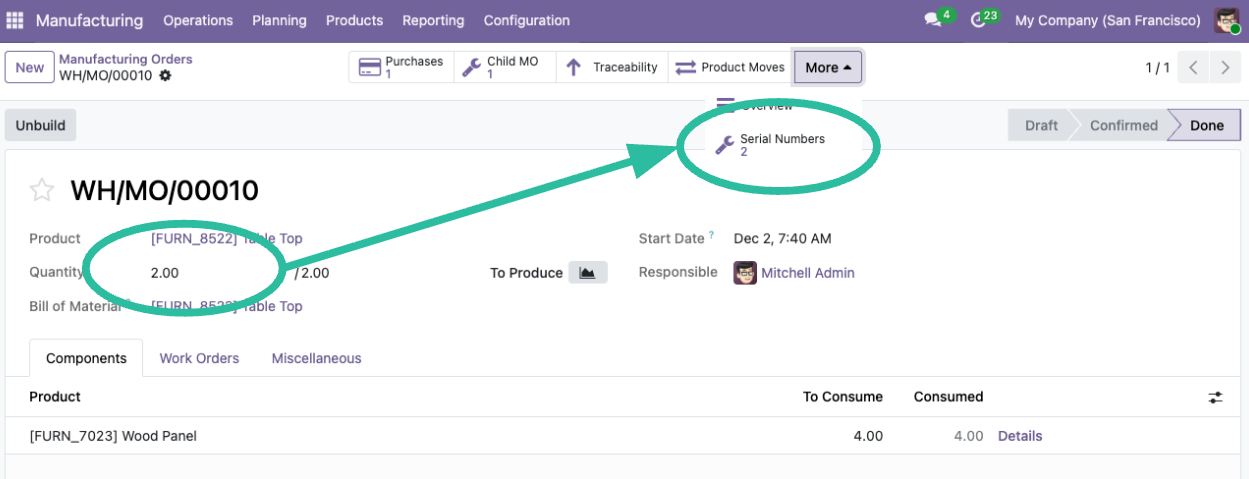
Example of a resulting MO linked to 2 Serial Numbers:
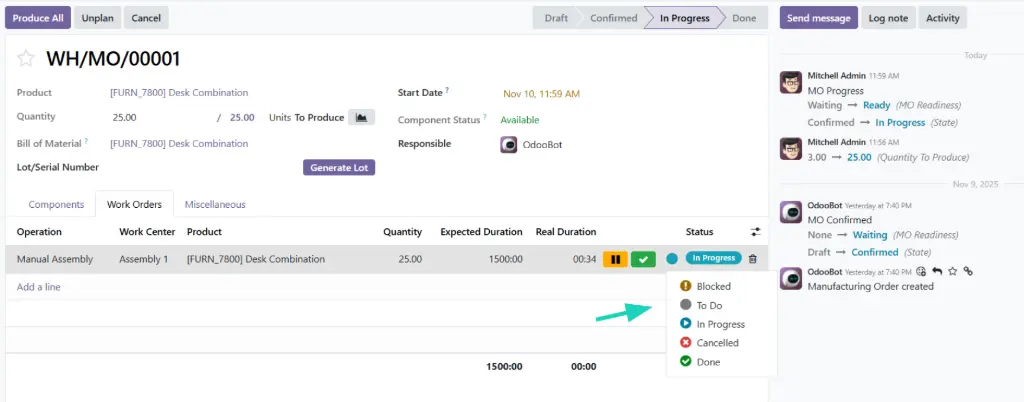
Work Order Management
View and manage Work Orders' status directly from the form view.
Inventory Valuation — The Removal of Stock Valuation Layers
- Valuation in Odoo 19 has been completely redesigned for simplicity and performance:
- The Stock Valuation Layer model has been removed. Odoo now stores the value of moved products directly on Stock Moves.
- Related Journal Entries are aggregated and created during a “closing process” instead of real-time posting.
- You can learn more about the details of Odoo's plan in this video:
- While this new approach reduces system complexity, this change seems to be controversial — several Odoo partners have questioned whether this approach is ideal because:
- Aggregation makes valuation data harder to audit and interpret
- Moving to a “closing process” could potentially increase the workload for accountants
- Further discussions can be found here:
Final Thoughts
With version 19, Odoo does not introduce dramatic changes but delivers many quality-of-life improvements that will help you manage your operations faster, with more clarity, and more efficiently.
If your teams rely on inventory, purchasing, or manufacturing, this release is well worth exploring.
Ready to discuss your Odoo 19 upgrade or need tailored advice on these operational changes?
Contact Komit Consulting now for a personalized consultation on how to implement these enhancements for maximum efficiency.
Read more from the Odoo 19 blog series and stay tuned for our next post!