
The release of Odoo 19 introduces practical improvements to the Project module that directly impact setup time and resource coordination. The latest version covers a wide range of enhancements — from Templates and Project Roles that standardize project initialization, to UX refinements and Reporting that sharpen daily operations. It also introduces new adjustments to Collaboration tools.
In this post, we focus on the new features of Odoo 19 that materially improve project operations.
Templates — the "Fast-Forward" button
Odoo 19 introduces advanced templating that standardizes project initialization and task generation.
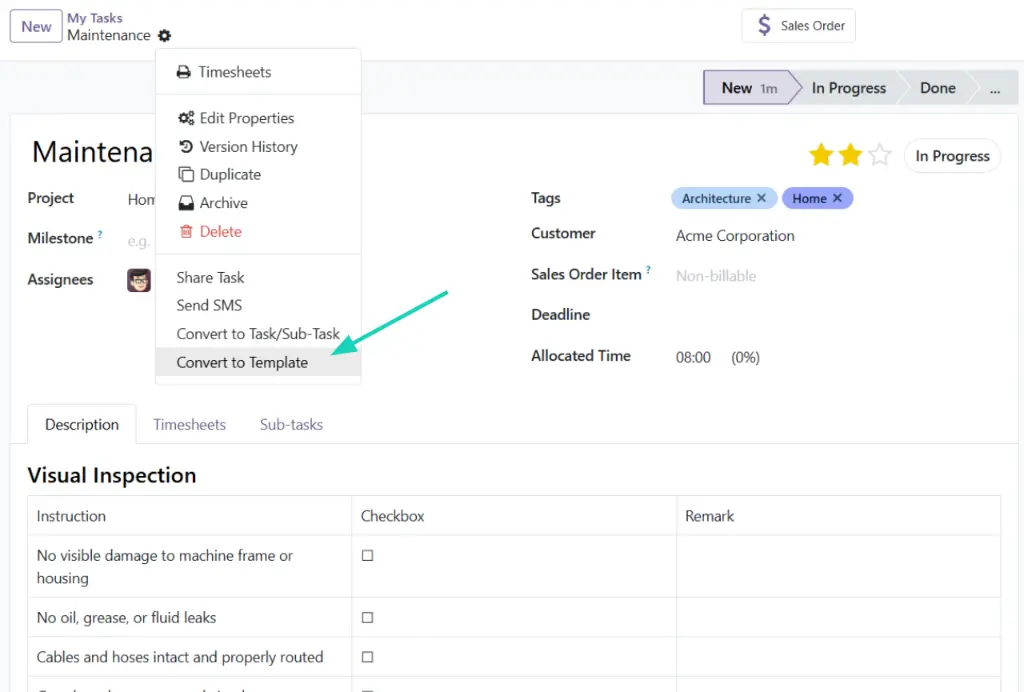
Task Templates
Individual tasks can now be templated and reused across projects.
Role-based Configuration
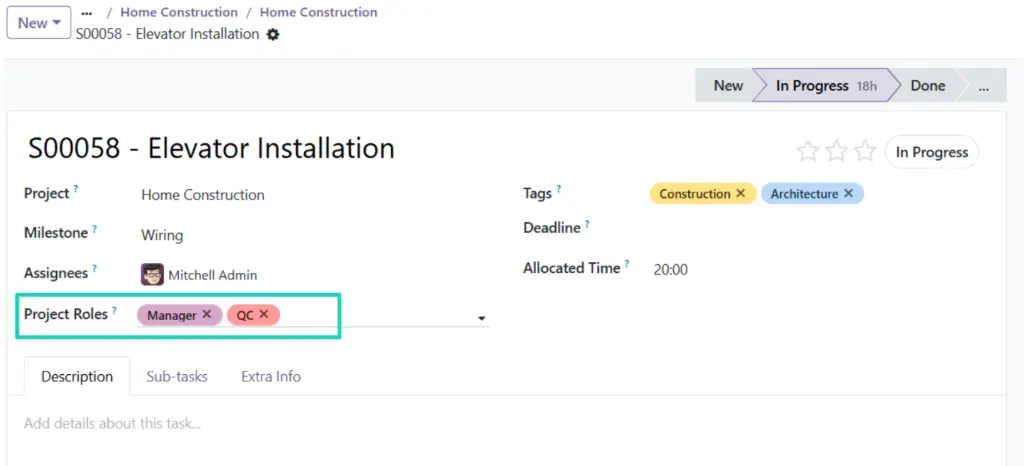
Instead of assigning tasks user-by-user, Odoo 19 introduces Project Roles within task templates. Tasks are assigned to roles rather than individuals, enabling structured allocation logic.
Project Templates
- Entire projects can now be pre-configured, including stages, tasks, and settings.
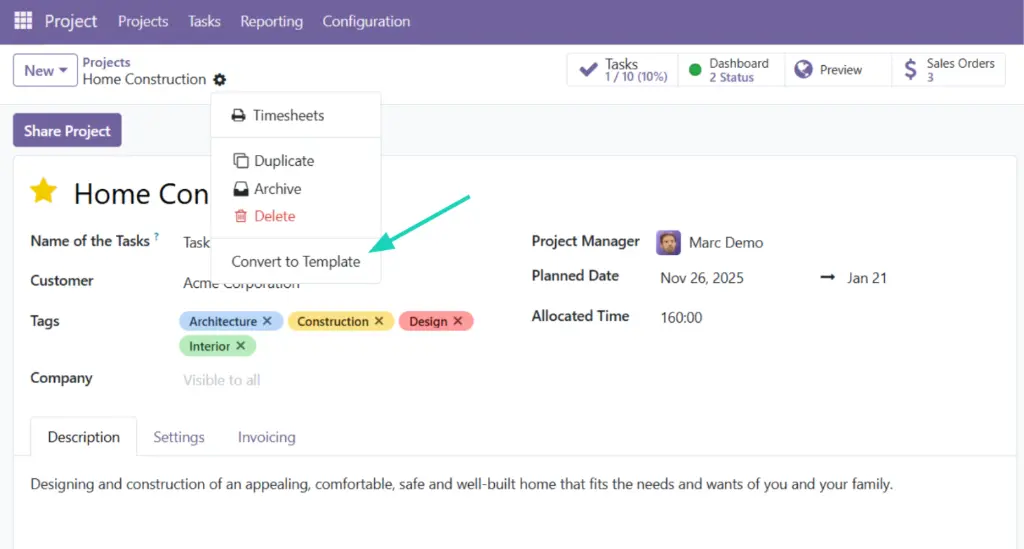
- Launching a project from a template automatically generates the full project structure.
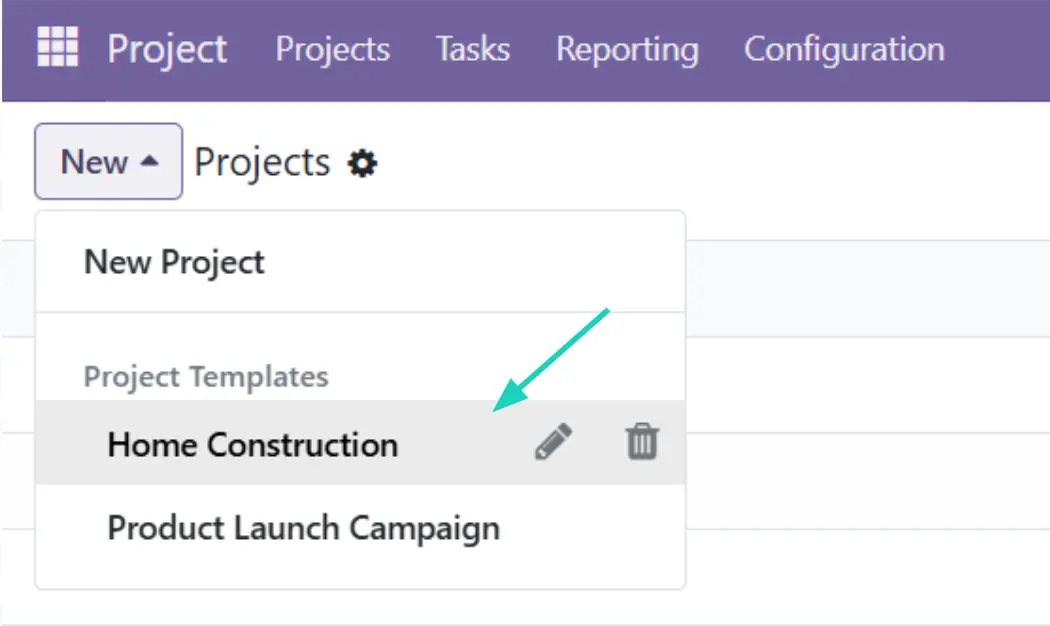
- Team members are simply mapped to roles, and Odoo handles task assignments accordingly.
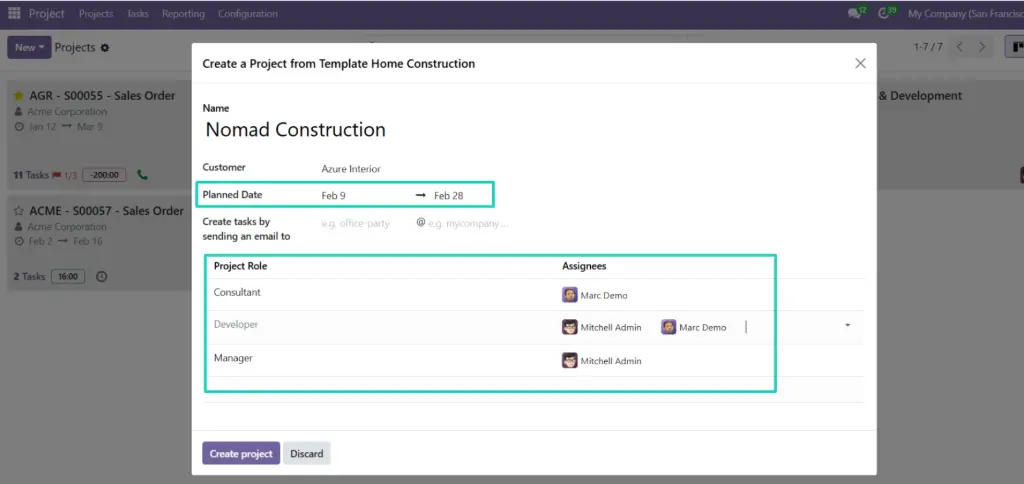
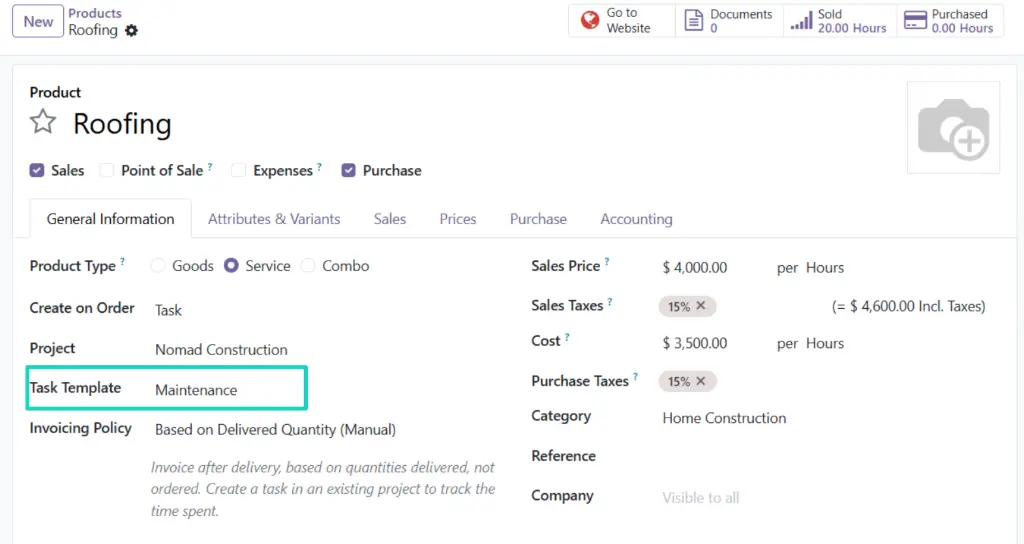
Product-linked Task Generation
- Task templates can even be linked directly to products.
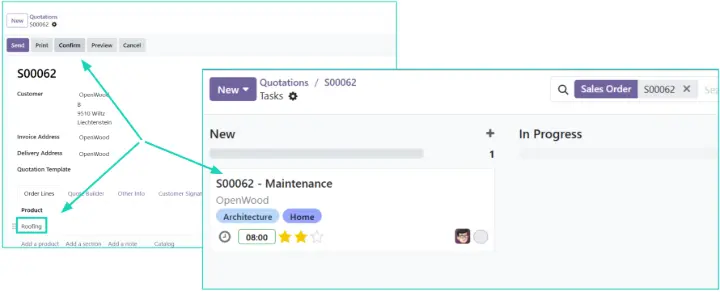
- When a service is confirmed in Sales, Odoo generates the corresponding task structure automatically — ensuring operational execution is aligned with what was sold.
UX refinements
The interface has been redesigned to improve task control and operational clarity.
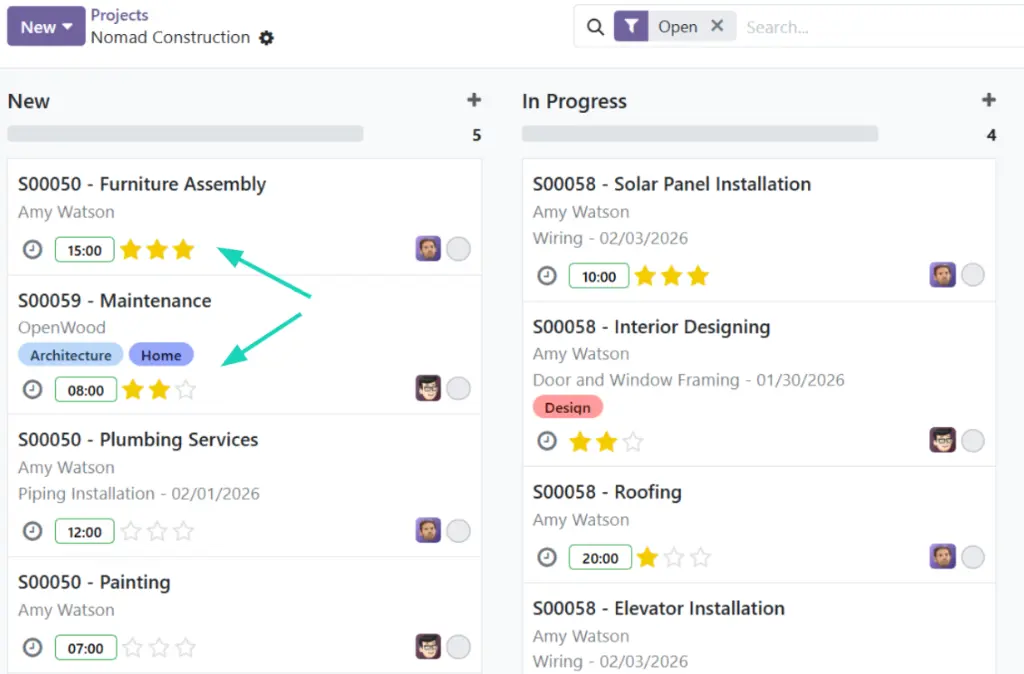
Granular Priorities
- Tasks now support multiple priority levels instead of a single “star” marker, allowing teams to differentiate urgency levels more clearly.
UI Efficiency
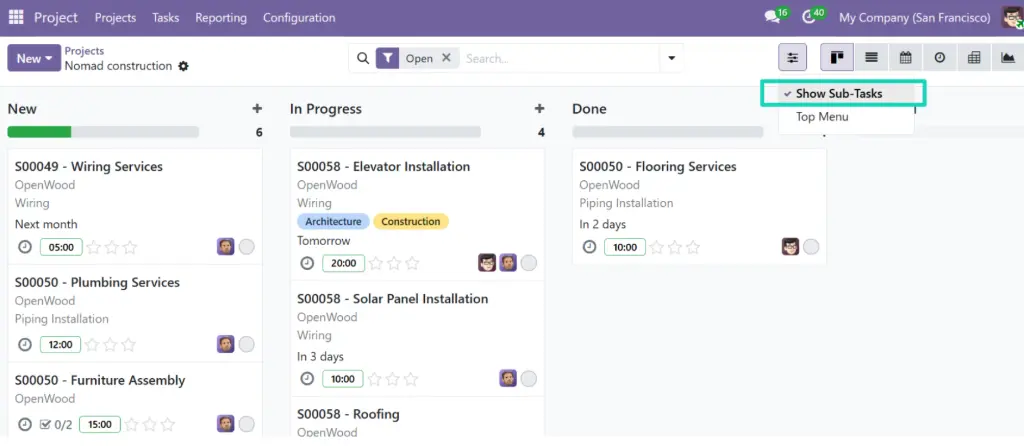
- A new Sub-Tasks Toggle in the top bar allows instant view simplification.
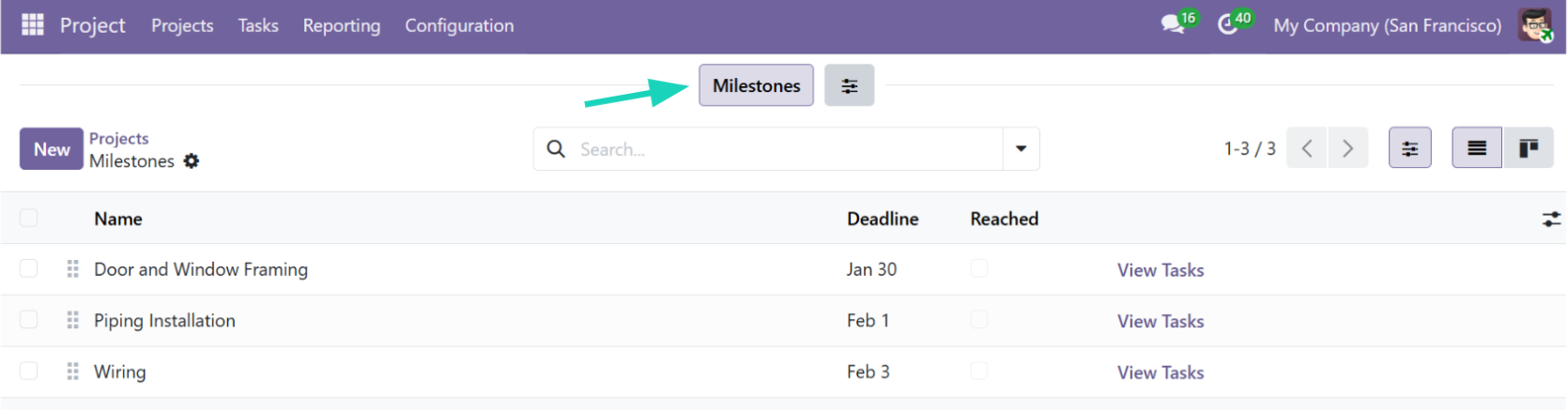
- A Milestones filter enables structured progress tracking without losing project-level visibility.
Timesheets & Scheduling
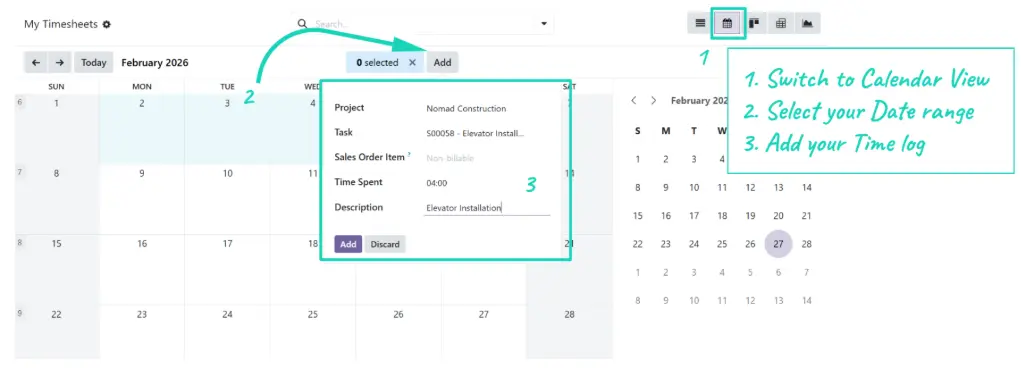
- A dedicated calendar view allows bulk timesheet entry.
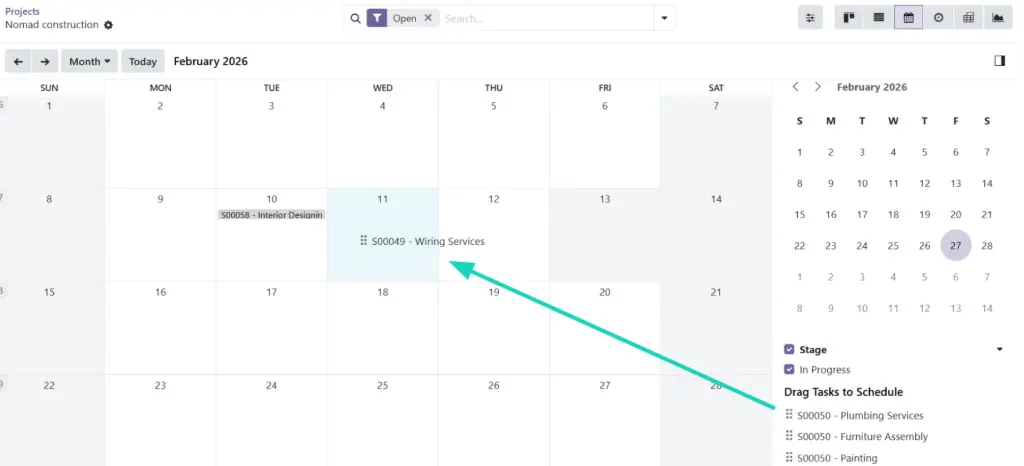
- Tasks can be rescheduled directly via drag-and-drop on the calendar.
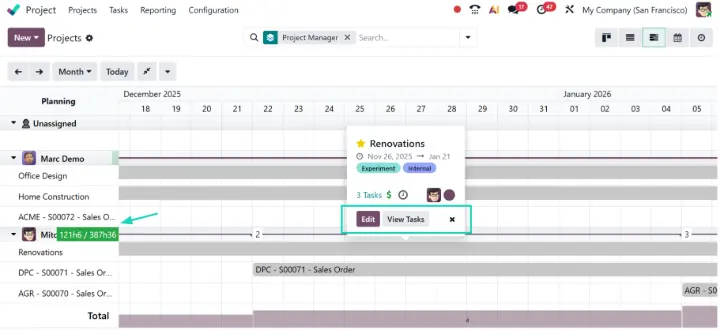
Better Gantt view for Projects (Enterprise Edition)
The Project Gantt view now displayes:
- Workload distribution
- Project manager occupancy
- Resource pressure points
This enables better capacity planning and workload balancing.
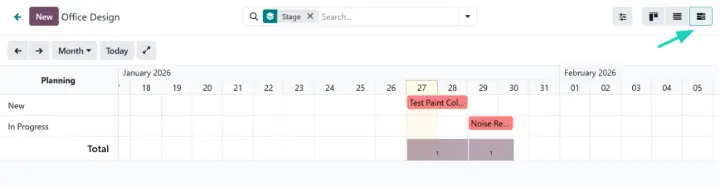
The Portal Gantt View (Enterprise Edition)
Customers can access a Gantt view via the portal, providing:
- Structured progress visibility
- Clear timeline representation
- Reduced operational friction and status requests
Detailed reporting
- Task Analysis reports now allow direct interaction.
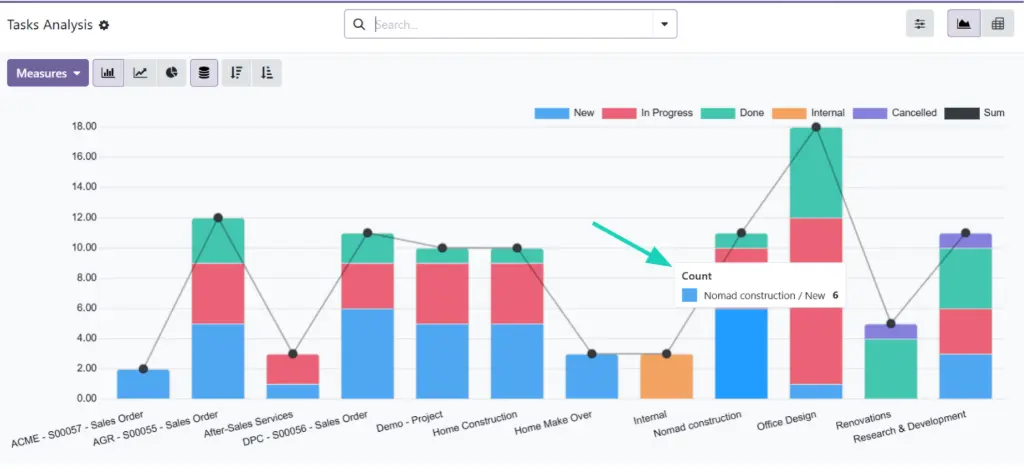
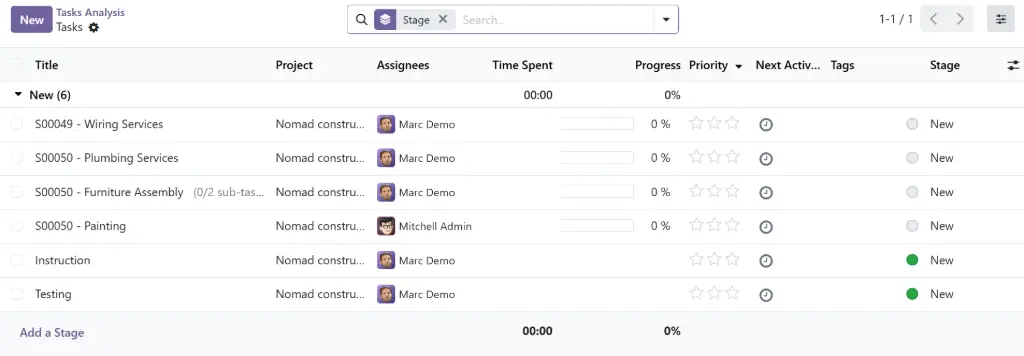
- Users can click on any report segment to immediately filter and focus on that specific project scope.
Radical transparency—Portal & Privacy
Odoo 19 introduces a more disciplined approach to how projects are shared within your team.
- Explicit Share Logic: Project's access can now be governed by a new sharing model. You must explicitly grant access to specific portal users and internal users. This prevents accidental data exposure and ensures that sensitive project data remains restricted to designated teams. These access rules used to exist for External users, and now they are also available for internal users. This new sharing logic is still based on the list of followers of the project.
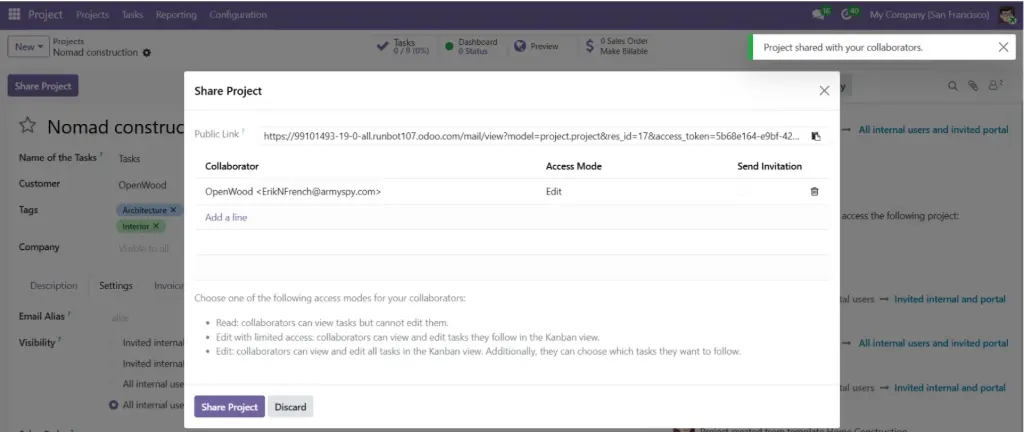
- With this model, even employees require explicit permission to view certain projects. This creates a true "need-to-know" environment, essential for firms handling sensitive or confidential client work.
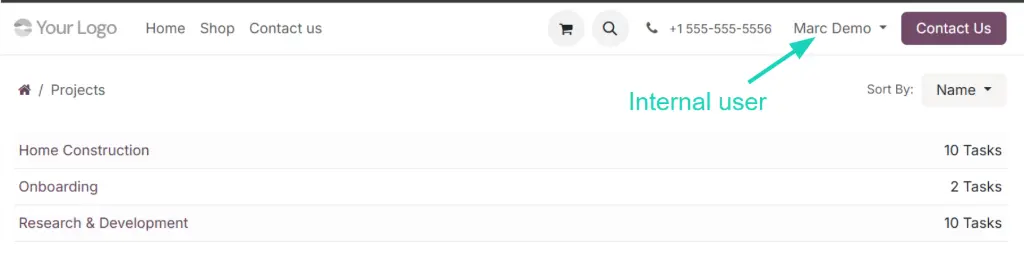
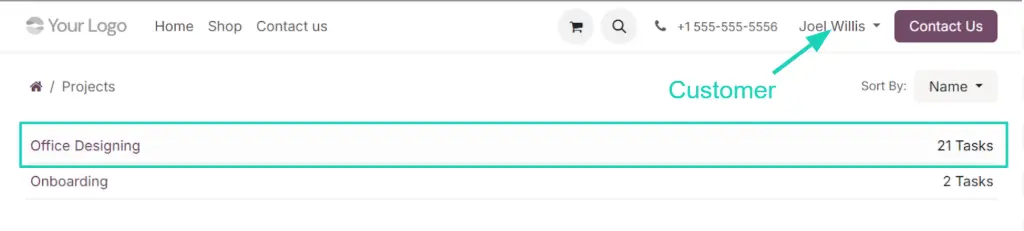
- Once access is granted on the project (as followers), customers and employees can securely view their projects directly from the portal, with visibility limited to the scope you define.
In conclusion, Odoo 19 delivers a meaningful upgrade to the Project app. With Role-based templates, improved UX efficiency, and more structured Reporting, the system significantly reduces administrative overhead and enables teams to spend less time on manual management, and more time on high-value project delivery.
The new Share Logic "Invited internal and portal users" is bringing Odoo to a next level in terms of security and confidentiality, without removing the possibilities to keep things simple by using the good old visibility "All internal users and invited portal users".
Ready to optimize your project workflows ?
Contact Komit Consulting for a structured walkthrough of how Odoo 19 Projects can be tailored to your specific operations.